Validation in Asp.Net Controls Using JQuery

Validation in Asp.Net Controls Using JQuery

Using Asp.Net Control   Textbox,Dropdownlist,Checkbox Validating The JQuery 

              Download Coding
                          Download

                    DEMO


              HTML CODING


<html xmlns="http://www.w3.org/1999/xhtml">
<head runat="server">
    <title>Validation in Asp.Net Controls Using JQuery</title>
     <link href="Valid.css" rel="stylesheet" type="text/css" />
    <script type="text/javascript" src="http://ajax.googleapis.com/ajax/libs/jquery/1.3.2/jquery.min.js"></script>
    <script type="text/javascript" src="http://cdn.ucb.org.br/Scripts/formValidator/js/languages/jquery.validationEngine-en.js"
        charset="utf-8"></script>
    <script type="text/javascript" src="http://cdn.ucb.org.br/Scripts/formValidator/js/jquery.validationEngine.js"
        charset="utf-8"></script> 
   
    <script type="text/javascript">
        function FDate(field, rules, i, options) {
            var Valdat = /^(0?[1-9]|[12][0-9]|3[01])[\/\-](0?[1-9]|1[012])[\/\-]\d{4}$/;
            if (!Valdat.test(field.val()))
            {
                return "Please Enter  dd/MM/yyyy format Date"
            }
        }
    </script>
 
     <script type="text/javascript">
        $(document).ready(function () {
            $("#form1").validationEngine();
        });
</script>
</head>
<body>
    <form id="form1" runat="server">
   <div>
       <br />
       <br />

       <table>
           <tr><td>
               <asp:Label ID="Label1" runat="server" Text="Username"></asp:Label>
               </td><td>
<asp:TextBox ID="txtName" runat="server"  Class="validate[required]" Height="30px" ></asp:TextBox>
                   <br />
                   <br />
               </td></tr>
           <tr><td>
               <asp:Label ID="Label2" runat="server" Text="Age"></asp:Label>
               </td><td>
<asp:TextBox ID="txtage" runat="server" Class="validate[required]"  minlength="2" Height="30px"></asp:TextBox>
                   <br />
                   <br />
                   <br />
               </td></tr>
           <tr><td>
               <asp:Label ID="Label3" runat="server" Text="Email Id"></asp:Label>
               </td><td>
<asp:TextBox ID="txtEmail" runat="server" Class="validate[required,custom[email]]" Height="30px"></asp:TextBox>
                   <br />
                   <br />
               </td></tr>
           <tr><td>
               <asp:Label ID="Label4" runat="server" Text="Mobile Number"></asp:Label>
               </td><td>
        <asp:TextBox ID="txxMobile" runat="server" Class="validate[required,custom[number],minSize[10],maxSize[10]]" Height="30px"></asp:TextBox>
                   <br />
                   <br />
               </td></tr>
           <tr><td>
               <asp:Label ID="Label5" runat="server" Text="Gender"></asp:Label>
               </td><td>

       <asp:DropDownList ID="DropDownList1" runat="server" Class="validate[required]" Height="30px" >
           <asp:ListItem Text="Select Gender" Value=""></asp:ListItem>
           <asp:ListItem Text="Male" Value="male" ></asp:ListItem>
           <asp:ListItem Text="Female" Value="female"></asp:ListItem>
       </asp:DropDownList>

               </td></tr>
           <tr><td>
               <asp:Label ID="Label6" runat="server" Text="Password"></asp:Label>
               </td><td>
<asp:TextBox ID="txtPass" runat="server"  Class="validate[required]" Height="30px"></asp:TextBox>
                   <br />
                   <br />
               </td></tr>
           <tr><td>
               <asp:Label ID="Label7" runat="server" Text="Confirm Password"></asp:Label>
               </td><td>
<asp:TextBox ID="txtRePass" runat="server" Class="validate[required,equals[txtPass]]" Height="30px"  ></asp:TextBox>
                   <br />
                   <br />
               </td></tr>
           <tr><td>
               <asp:Label ID="Label8" runat="server" Text="Website Url"></asp:Label>
               </td><td>
<asp:TextBox ID="txtUrl" runat="server" class="validate[required,custom[url]]" Height="30px">http://</asp:TextBox>
                   <br />
                   <br />
               </td></tr>
           <tr><td>
               <asp:Label ID="Label9" runat="server" Text="Date"></asp:Label>
               </td><td>
        <asp:TextBox ID="txtDate" runat="server" Class="validate[required,funcCall[FDate[]] " Height="30px"></asp:TextBox>
                   <br />
                   <br />
               </td></tr>
           <tr><td>
               <asp:Label ID="Label10" runat="server" Text="Agreement"></asp:Label>
               </td><td>
<input class="validate[required] checkbox" type="checkbox" id="chkAgree"  name="agree" height="30"/><br />
               </td></tr>
           <tr><td colspan="2<asp:Button ID="btnSubmit" runat="server" Text="submit" />
               </td><td>
       </table>
       </div>
</form>

</body>
</html>


First Add New WebForm - Add Require Controls From ToolBox  


Next - Add AjaxGoogleApi - Add Css File & Call Every Control From JQuery Class


Every Controls Add Requierd & Expression Add For CssClass


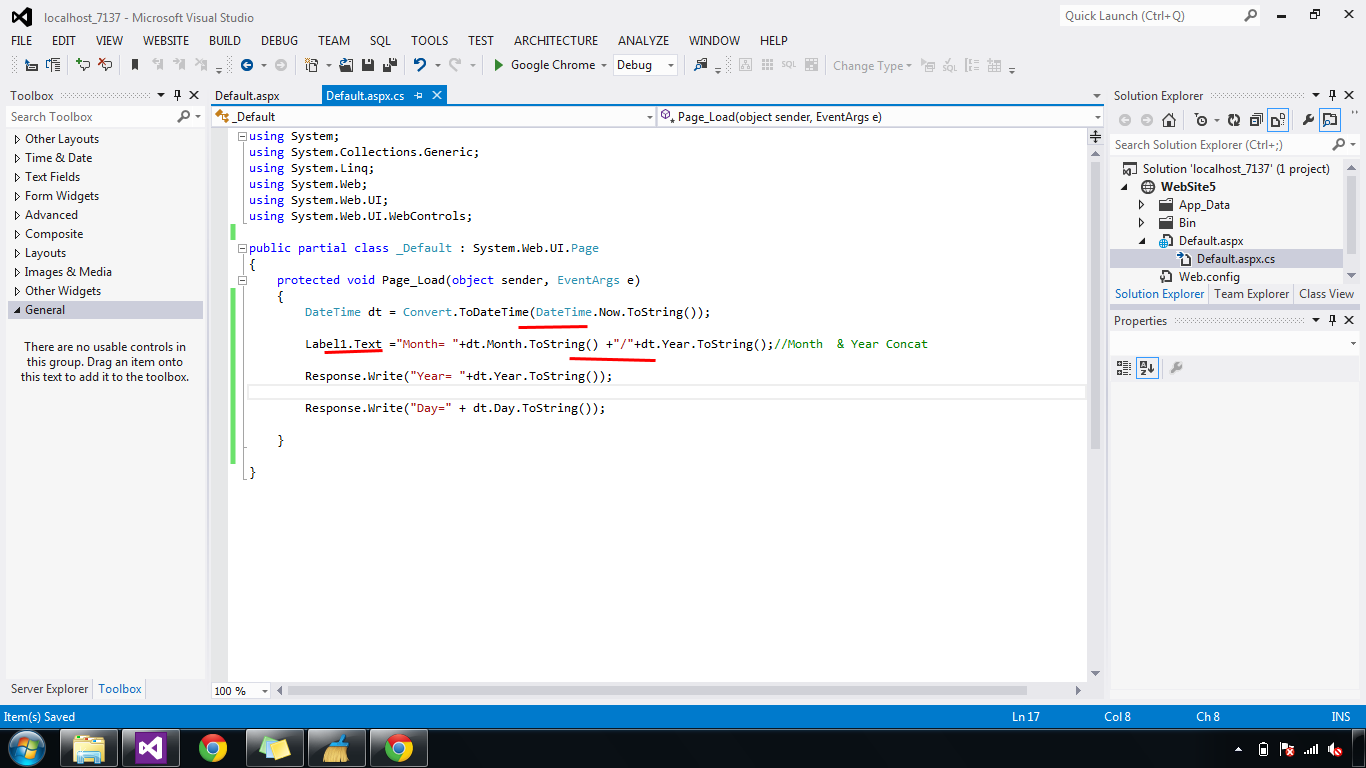
Get the Current System Date & Split Day,Month,Year Using Asp.Net C#

Get the System Date & Split Day,Month,Year

Get The Current  System Date(DateTime.Now) then Split Date,Month,Year From DataTime Display The Label Using in Asp.Net C#.

             Download Coding
                          Download

                    DEMO


                HTML CODING


<html xmlns="http://www.w3.org/1999/xhtml">
<head id="Head1" runat="server">
<title>Get the current System Date & Split Day,Month,Year Using Asp.Net C# </title>
</head>
<body>
<form id="form1" runat="server">  
    <asp:Label ID="Label1" ForeColor="Red"  Font-Size="X-Large" runat="server"></asp:Label>  
</form>
</body>

</html>

                C# CODING


using System;
using System.Collections.Generic;
using System.Linq;
using System.Web;
using System.Web.UI;
using System.Web.UI.WebControls;

public partial class _Default : System.Web.UI.Page
{
    protected void Page_Load(object sender, EventArgs e)
    {
        DateTime dt = Convert.ToDateTime(DateTime.Now.ToString());
      Label1.Text ="Month= "+dt.Month.ToString() +"/"+dt.Year.ToString();

        Response.Write("Year= "+dt.Year.ToString());
        Response.Write("Day=" + dt.Day.ToString());

    }
      
}
    

First - Create New WebForm - Add Label From ToolBox - Change Color & Size.


Next - CodeBehind - Add PageLoad  Get DateTime & Split Day,Month,Year 


Display Current Date Time on WebSite Using in JavaScript Asp.Net C#

Display Current Date Time on WebSite

Label Display Current Date and Time  Using JavaScript timeout Set Interval Update  Every Seconds in Asp.Net C#.

                    Download Coding 
                              Download

                       DEMO

                   HTML CODING


<html xmlns="http://www.w3.org/1999/xhtml">
<head id="Head1" runat="server">
<title>Display Current Date Time on WebSite Using in JavaScript Asp.Net </title>
<script type="text/javascript">
    function DateTime() {
       window.setTimeout("DateTime()", 1000);     
       var TD = new Date();    
       document.getElementById("Label1").innerHTML = TD.toLocaleString();      
     }
</script>
</head>
<body onload="DateTime()" >
<form id="form1" runat="server">  
    <asp:Label ID="Label1" ForeColor="Red"  Font-Size="X-Large" runat="server"></asp:Label>
    <br />
    <asp:Label ID="Label2" ForeColor="Red"  Font-Size="X-Large" runat="server" ></asp:Label>
</form>
</body>

</html>

                      C# CODING


using System;
using System.Collections.Generic;
using System.Linq;
using System.Web;
using System.Web.UI;
using System.Web.UI.WebControls;

public partial class _Default : System.Web.UI.Page
{
    protected void Page_Load(object sender, EventArgs e)
    {
 Label2.Text =  String.Format("{0}", DateTime.Now.ToString("dd/MM/yyyy hh:mm:ss Sec"));
    
    }
      
}

   
First Create New WebForm - Add Two Labels From ToolBox - Change ForeColor & Size


Next - Add JavaScript file For Current Time & Date Display Set TimeOut For EverySeconds.


Next - CodeBehind  - Page Load Event Add Datetime Now with Time Seconds.